

Endpoints
Impala splits inference from management. Inference runs on the OpenAI-compatible surface; Leap is an Impala-specific operation and lives under/imp/v1.
Base URL:
https://inference.getimpala.ai. The OpenAI-compatible endpoints sit alongside at /open-ai/v1/.
Authentication is the same bearer token you use for inference.
How a sync progresses
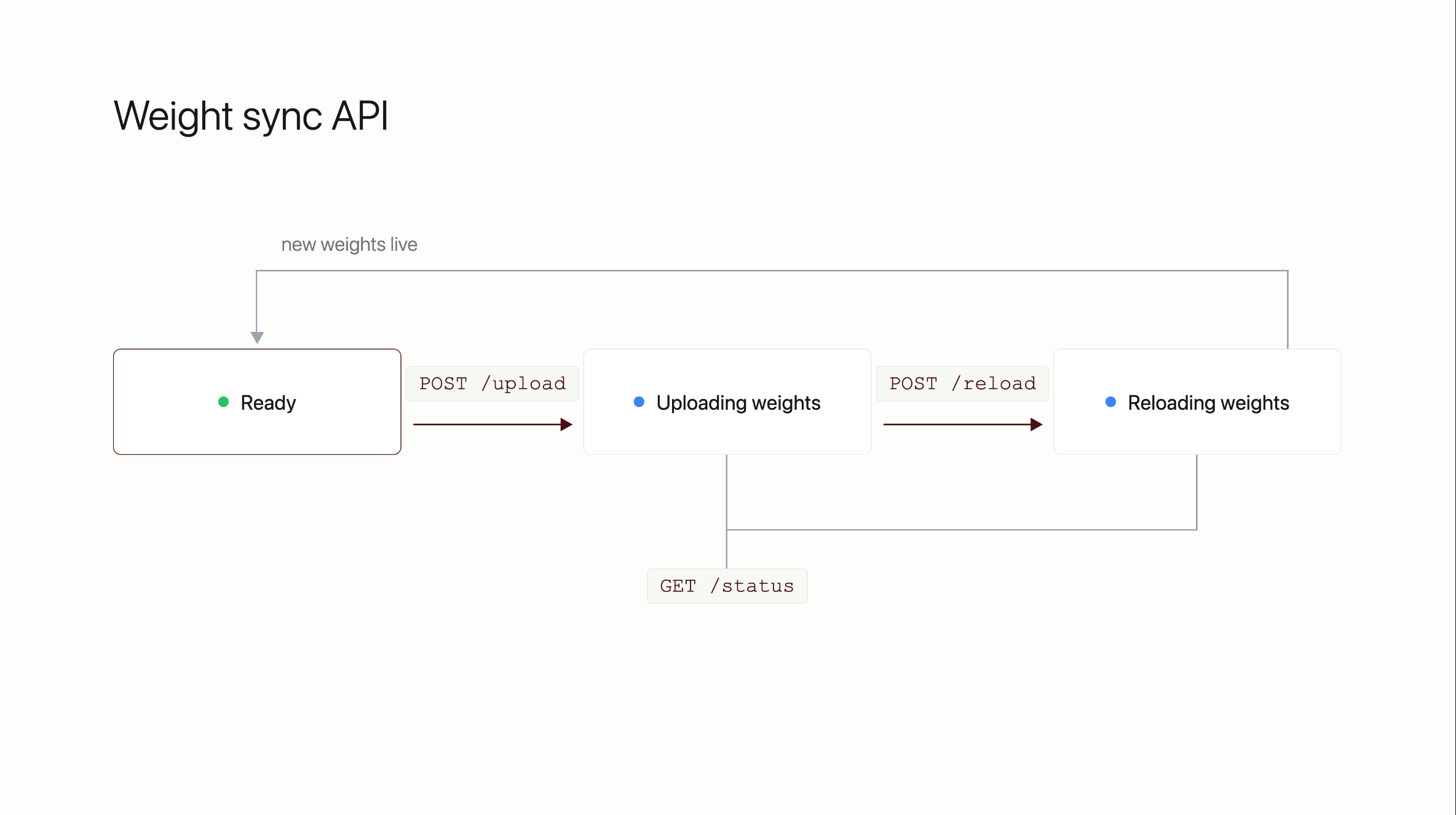
GET /imp/v1/weights/status is valid at any point and reports which state the fleet is in.
Ready — serving current weights, nothing in flight.
Uploading weights — the checkpoint is transferring from your bucket. Serving continues on the old weights.
Reloading weights — engines are swapping to the new checkpoint.
Back to Ready — the new weights are live.
Upload is the long step and scales with checkpoint size and available bandwidth. The reload itself is fast by comparison.
Uploading a checkpoint
Bothupload and reload take a map of model identifier to S3 URI, so a fleet serving more than one model can be updated per model.
Reloading
/status until the fleet returns to Ready, then send a test request through your normal inference endpoint to confirm the new weights are answering.
Things to know
The checkpoint has to be loadable onto the running engines. A checkpoint whose architecture or quantization differs from what the fleet is serving cannot be hot-swapped; it needs a new deployment. Impala validates this from the checkpoint’ssafetensors metadata before reloading.
Failed steps retry automatically, up to three attempts, before the sync is reported as failed.
Give Impala read access to the bucket holding your checkpoints before your first sync.